
In short
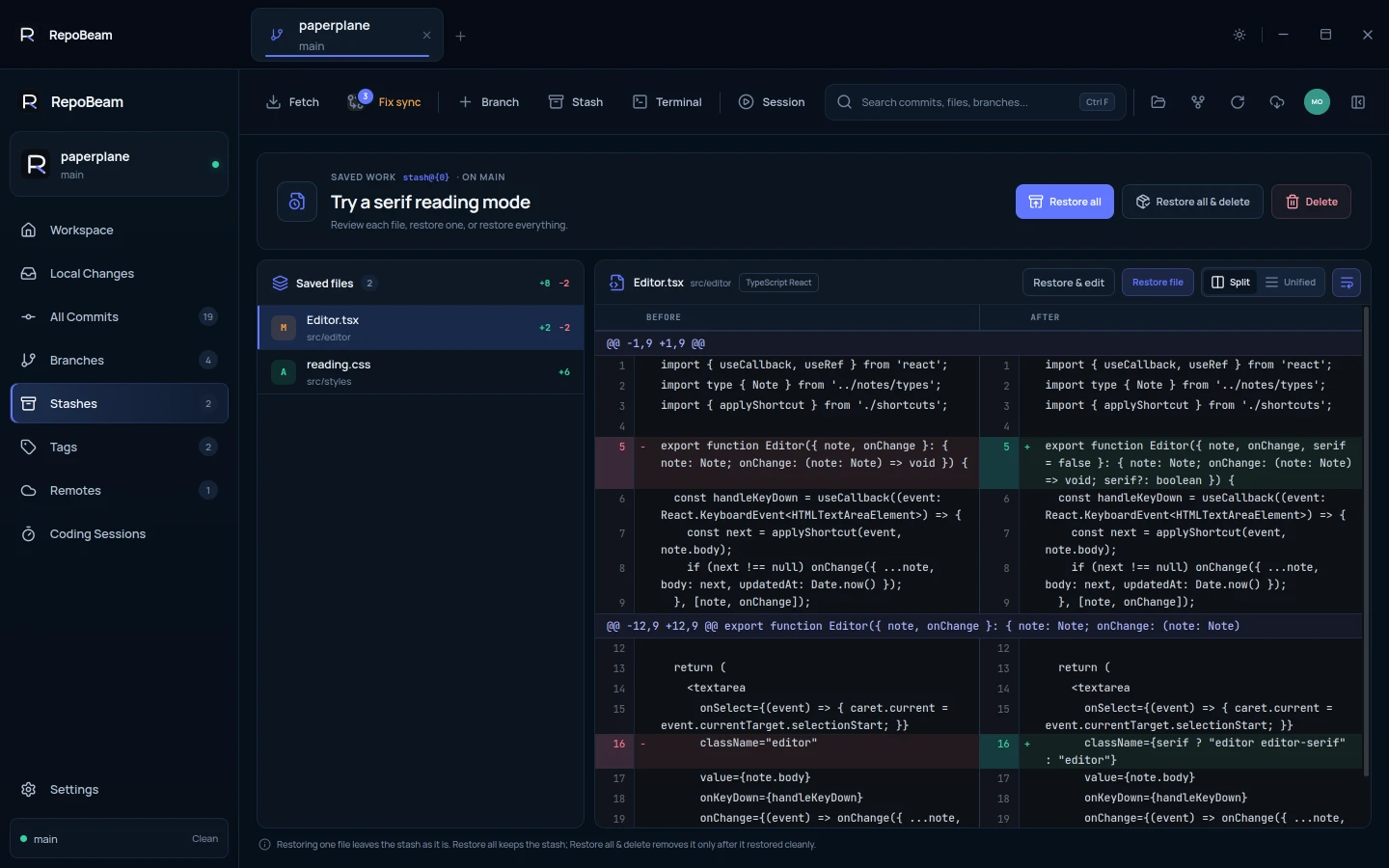
- A stash keeps your uncommitted changes, new files included, and leaves the branch clean.
- Every file in a stash shows its diff before you restore anything.
- Restore one file, restore everything, or restore and delete the stash.
Step by step
-
Stash your changes
Click Stash in the toolbar, give it a name if you like, and click Stash changes.
-
Do what you needed a clean branch for
Switch branches, pull, or fix whatever needs attention.
-
Review the stash
Open Stashes and select one. Each saved file shows its diff.
-
Bring the changes back
Restore file or Restore & edit brings back one file. Restore all keeps the stash, and Restore all & delete removes it once everything restored cleanly.
Good to know
- Overwrite checkIf a file you restore also has local changes, RepoBeam asks before replacing them.
- ConflictsIf restoring clashes with commits made since, the conflict resolver opens and the stash is kept.