
In short
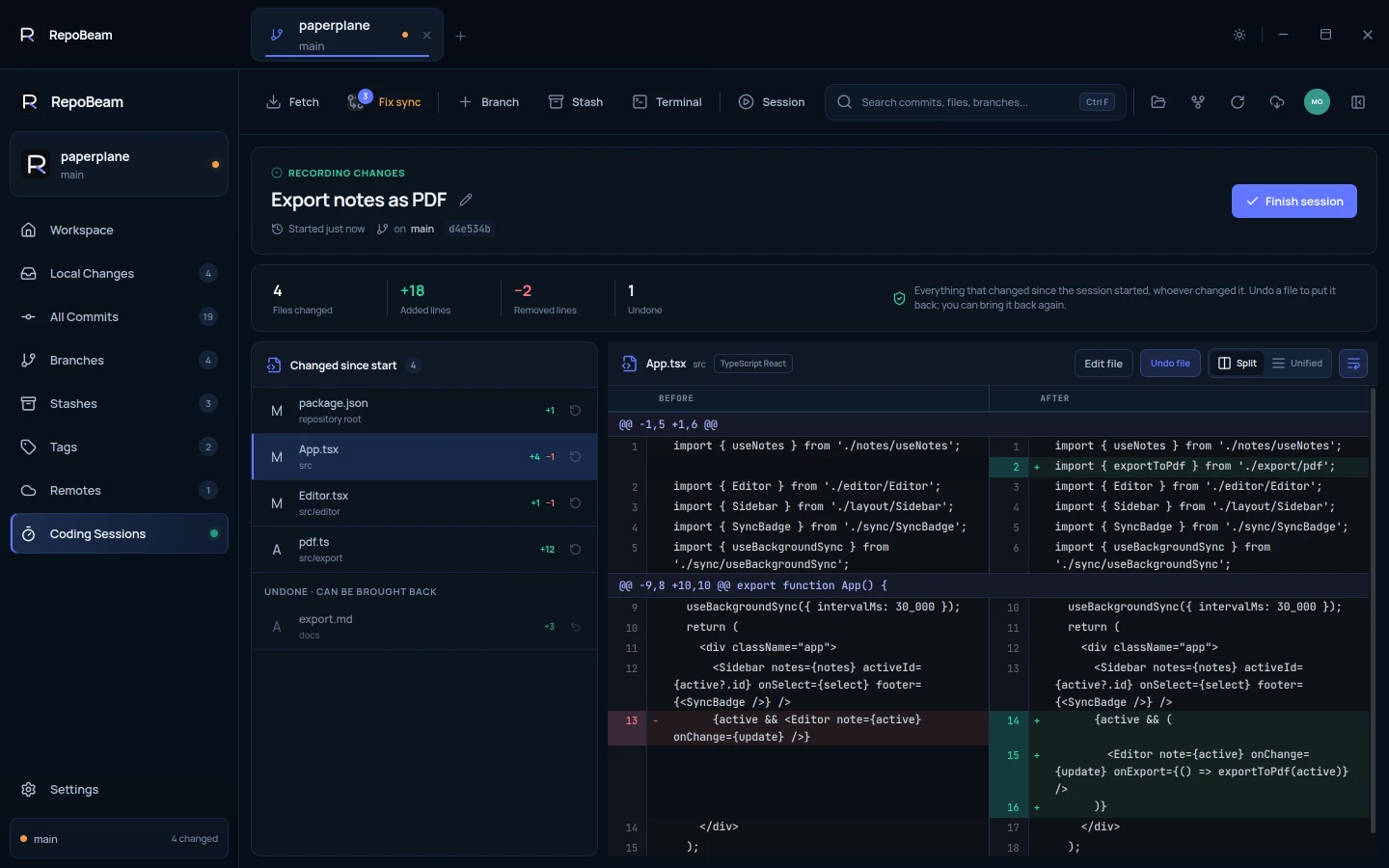
- Starting a session saves a private restore point. No branch is created and nothing is committed.
- Every file that changes afterwards appears in the session within seconds, with its diff.
- Undo single files, bring them back, edit them, then keep, commit or undo the rest.
A session is a restore point and a review, not a security sandbox. Agents and editors still run with your normal permissions; the session shows what changed in the repository.
Step by step
-
Start a session
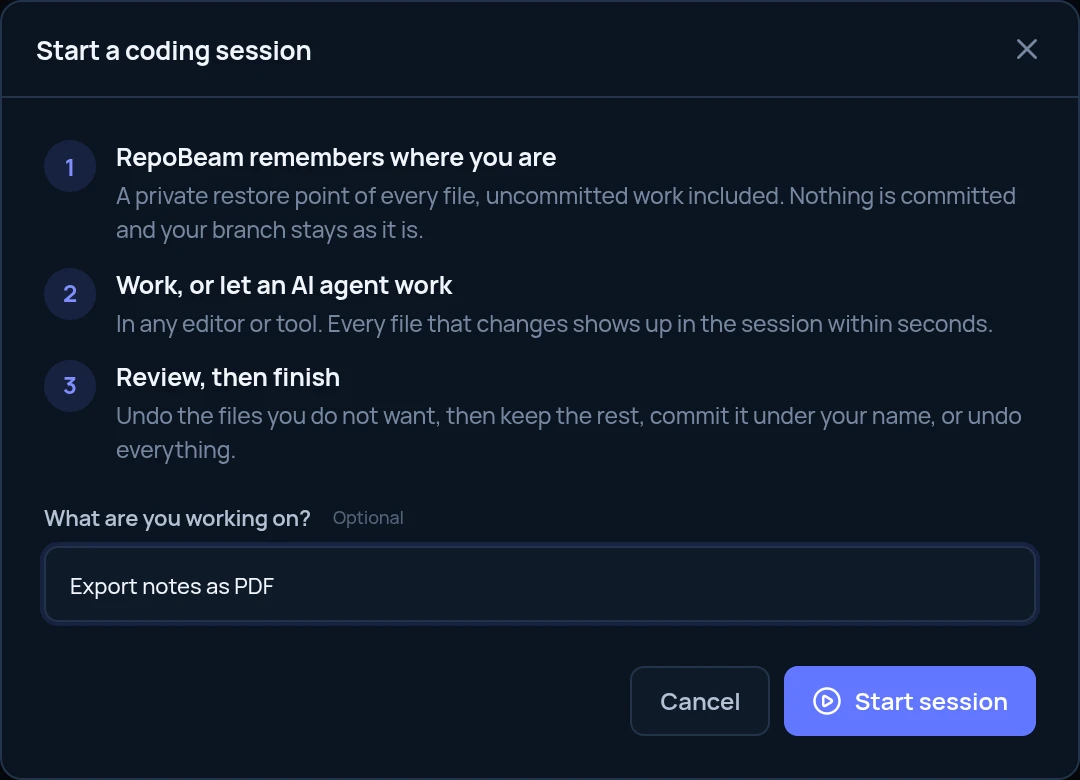
Click Session in the toolbar. Say what you are working on if you like, then click Start session. RepoBeam saves every file as it is now, uncommitted work included.
-
Work, or let an agent work
Use Claude Code, Codex, Cursor, Copilot or your own editor as usual. A bar under the toolbar shows that the session is recording, for how long, and how many files changed.

-
Review what changed
Click Review. Every file changed since the start is listed with its diff. Click Edit file to change it in place, or Undo file to put it back exactly as it was when the session started.
-
Bring back anything you undid
Undone files move to Undone · can be brought back. Changed your mind? Use Bring back the changes on the file.
-
Finish
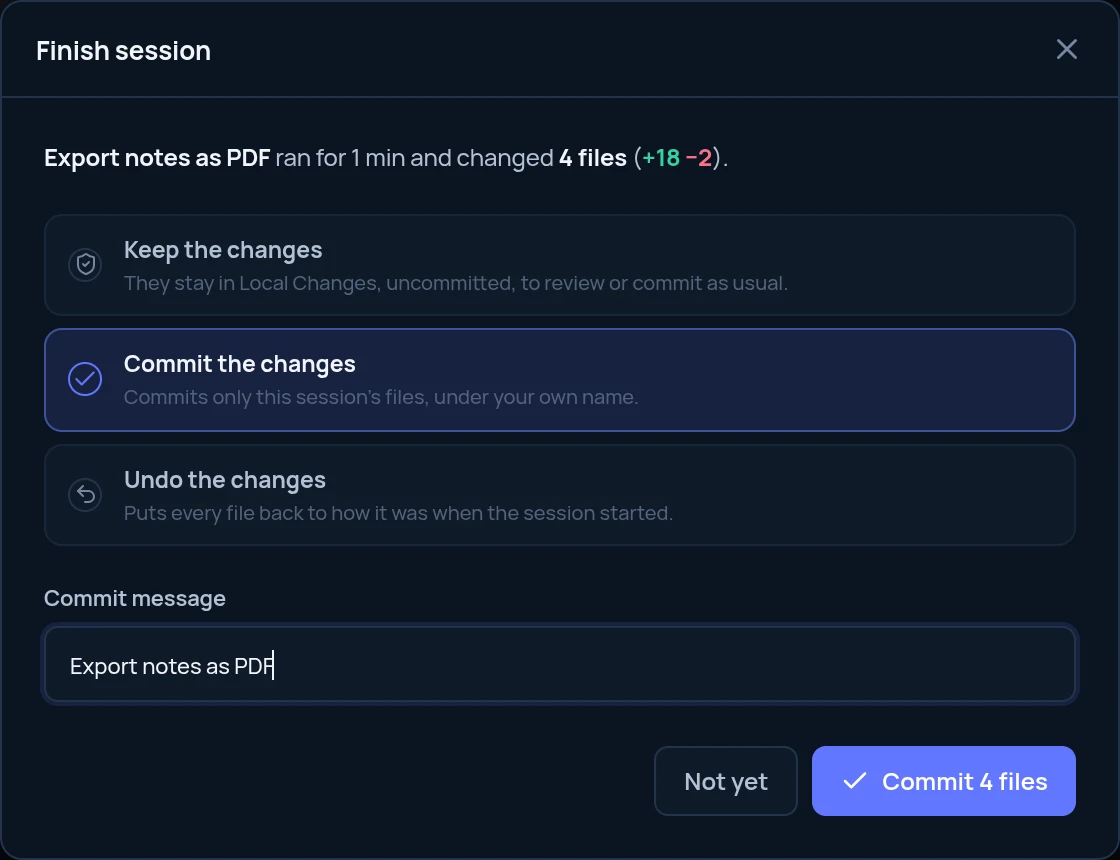
Click Finish session and choose Keep the changes to commit them later from Local Changes, Commit the changes to commit only the session’s files under your own Git name, or Undo the changes to put every file back.
Good to know
- Stays on your computerThe restore point and the session list live inside your repository’s
.gitfolder. Normal Git operations don’t push them. - Commits during a sessionCommits you or an agent make while a session runs are listed with it, and stay in history whatever you choose when finishing.
- Works with any toolSessions look at the files in the repository, so there is nothing to install in your agent or editor.
- Tidy up laterFinished sessions can be removed from the list. That doesn’t touch your files or commits.