
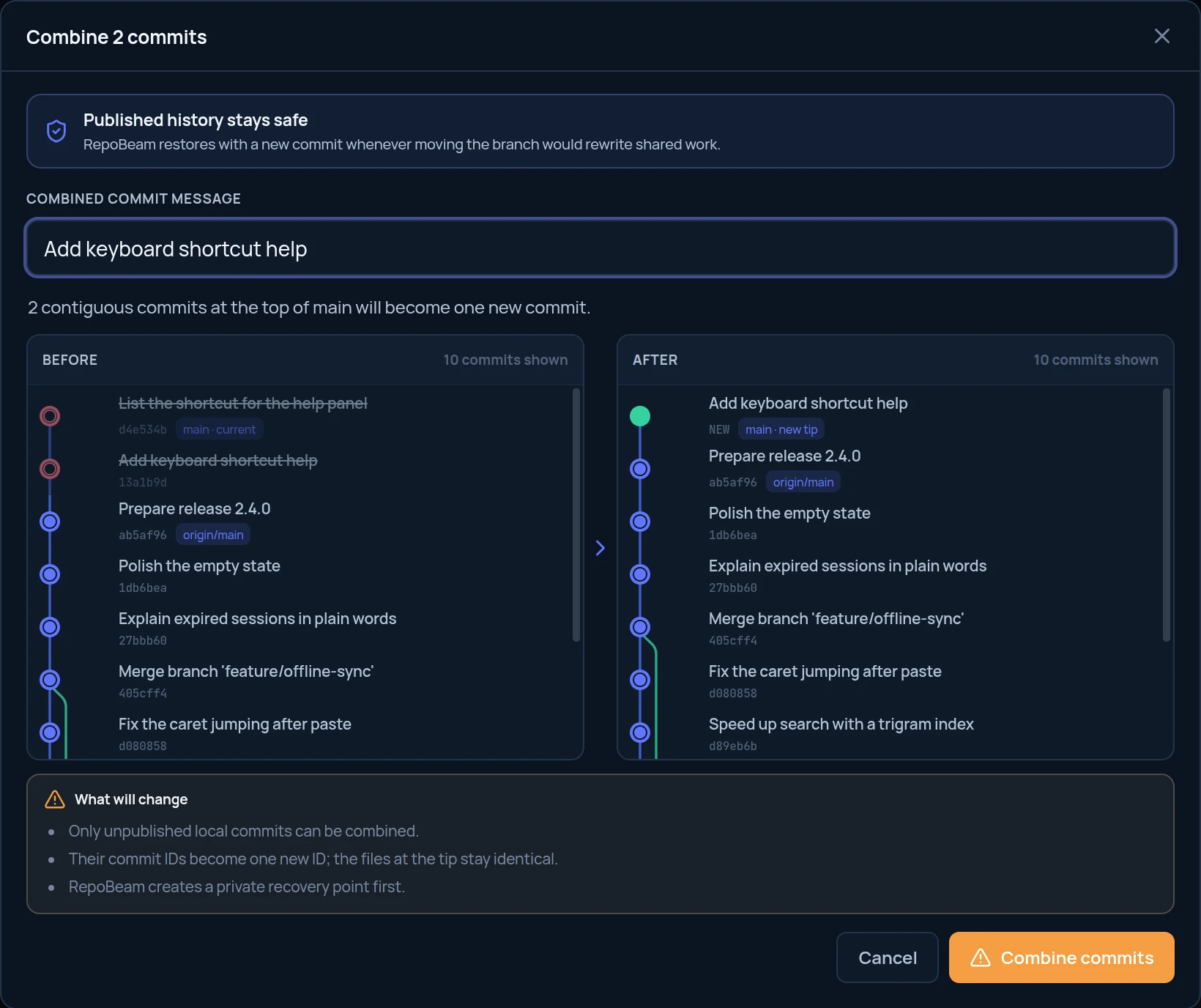
In short
- Select neighbouring commits and write one message for them.
- The files at the tip of the branch stay exactly the same; only history changes.
- A private recovery point is saved before anything is rewritten.
Step by step
-
Select the commits
In All Commits, click a commit, then Ctrl-click the neighbouring commits you want to include. They must be consecutive.
-
Choose Combine
Right-click the selection and choose Combine 2 selected. The number matches your selection.
-
Write the message and check the preview
Enter the message for the combined commit. The preview crosses out the selected commits and shows the new commit in their place.
-
Confirm
Click Combine commits.
Good to know
- New IDsThe combined commit gets a new ID, and so does every commit after it.
- Already pushed?If the selected commits are published, RepoBeam creates the combined result on a separate branch and leaves your branch and the remote unchanged.