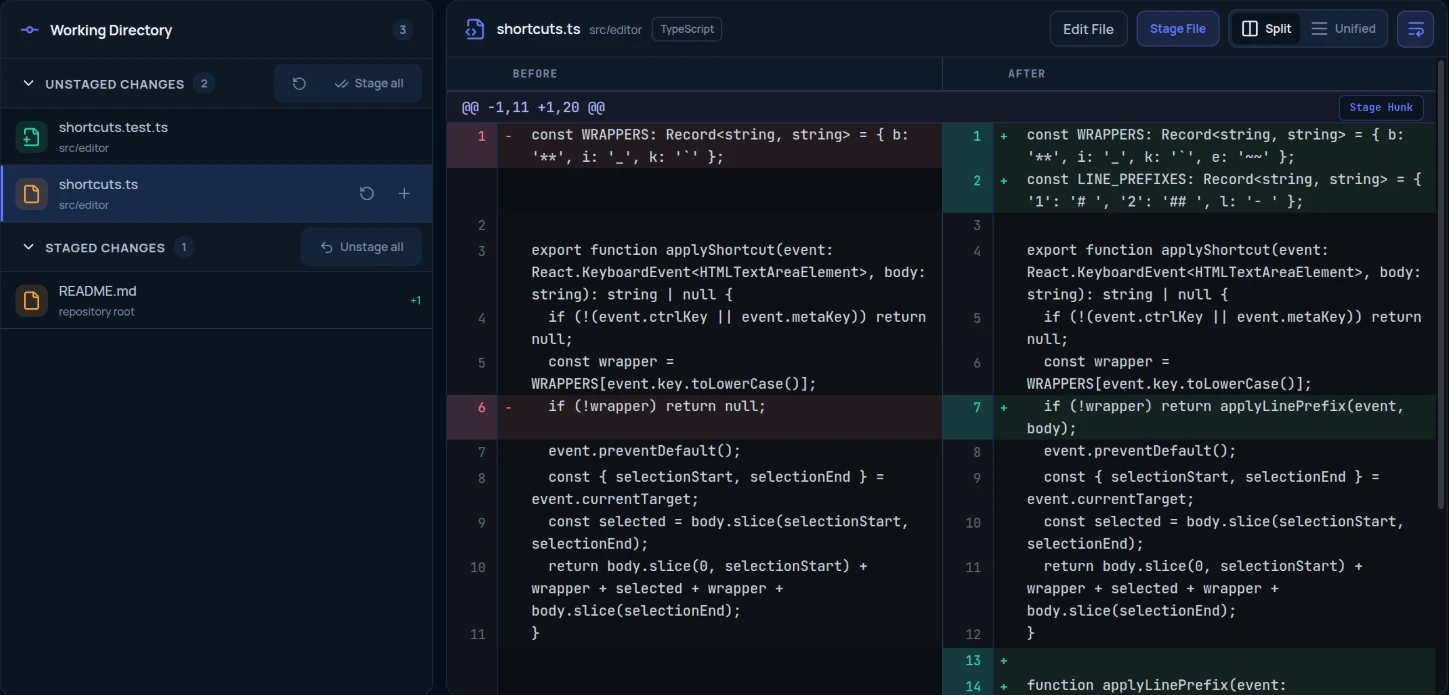
Local Changes
Stage whole files or single hunks, write the message, then commit and push in one step.
A Git client for Windows and Linux that shows the expected result of a history change before it runs, explains conflicts in plain words, and lets you review every change an AI agent makes — then keep it, commit it, or undo it.
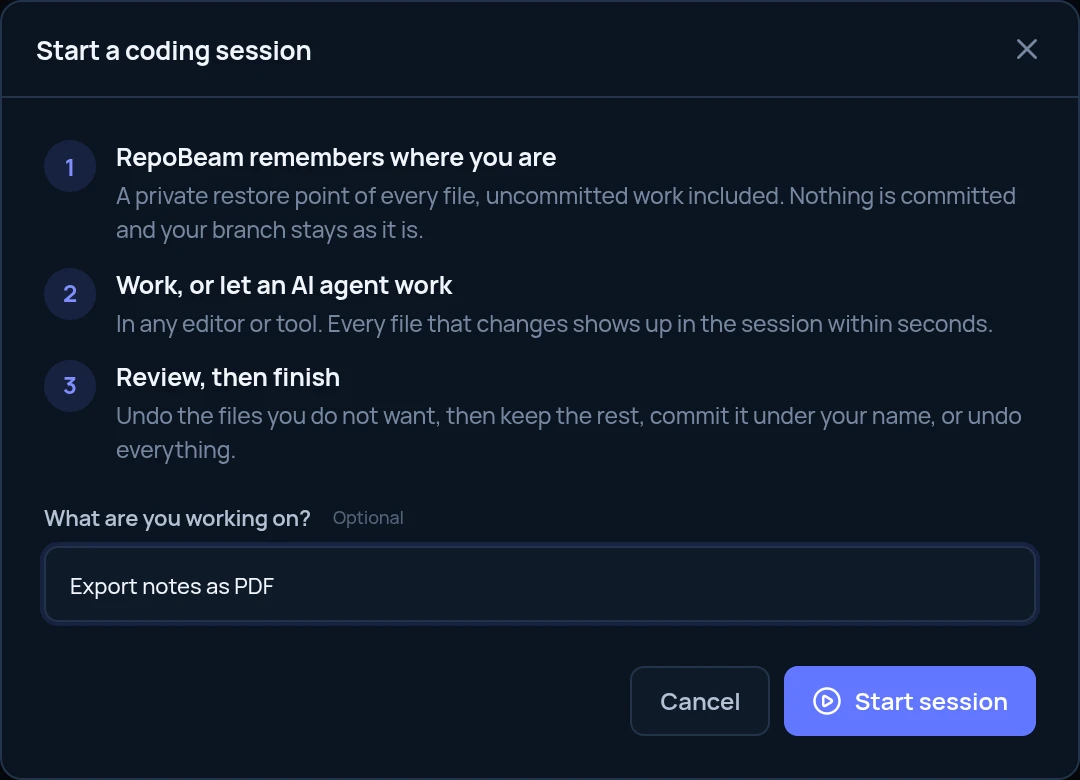
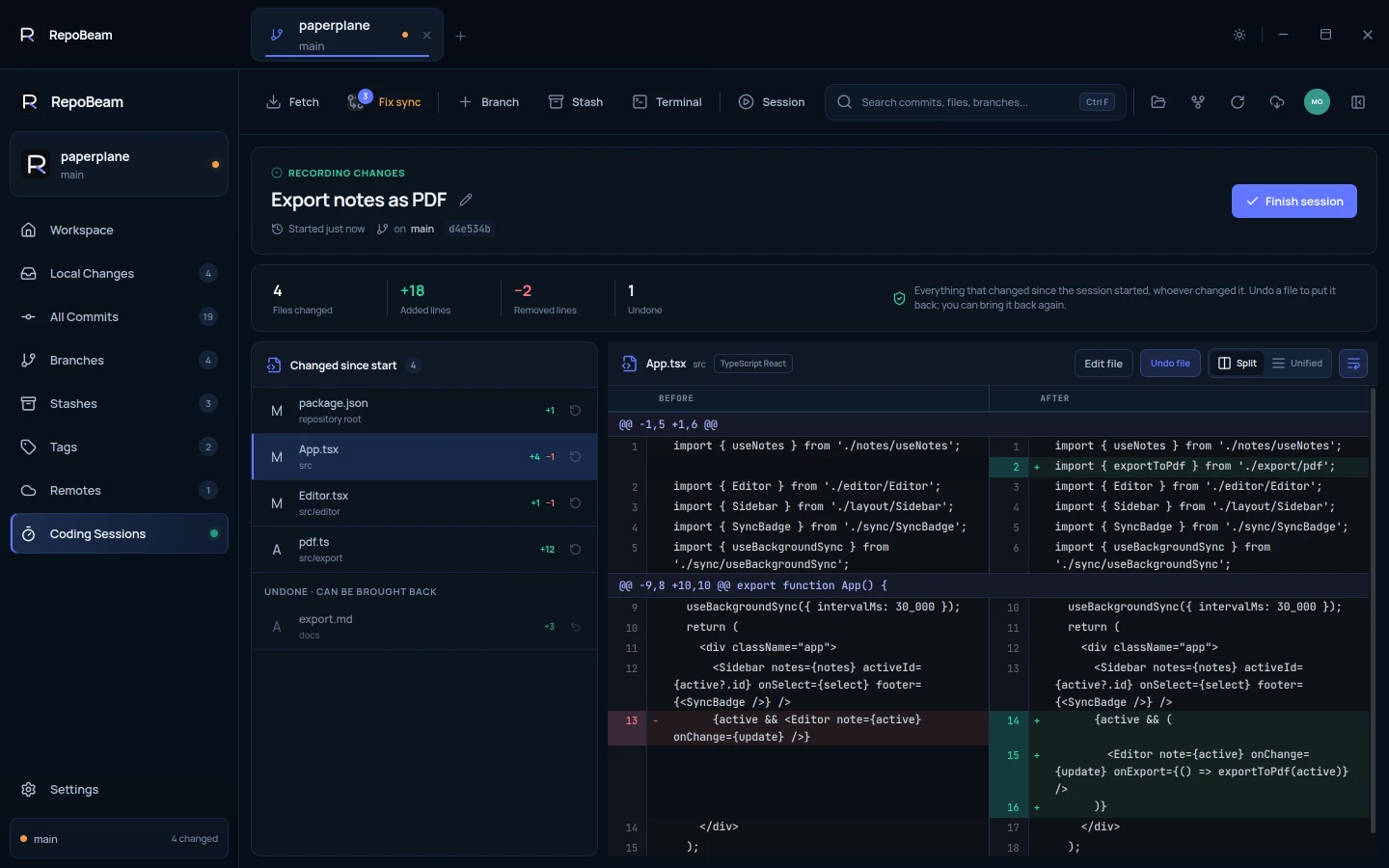
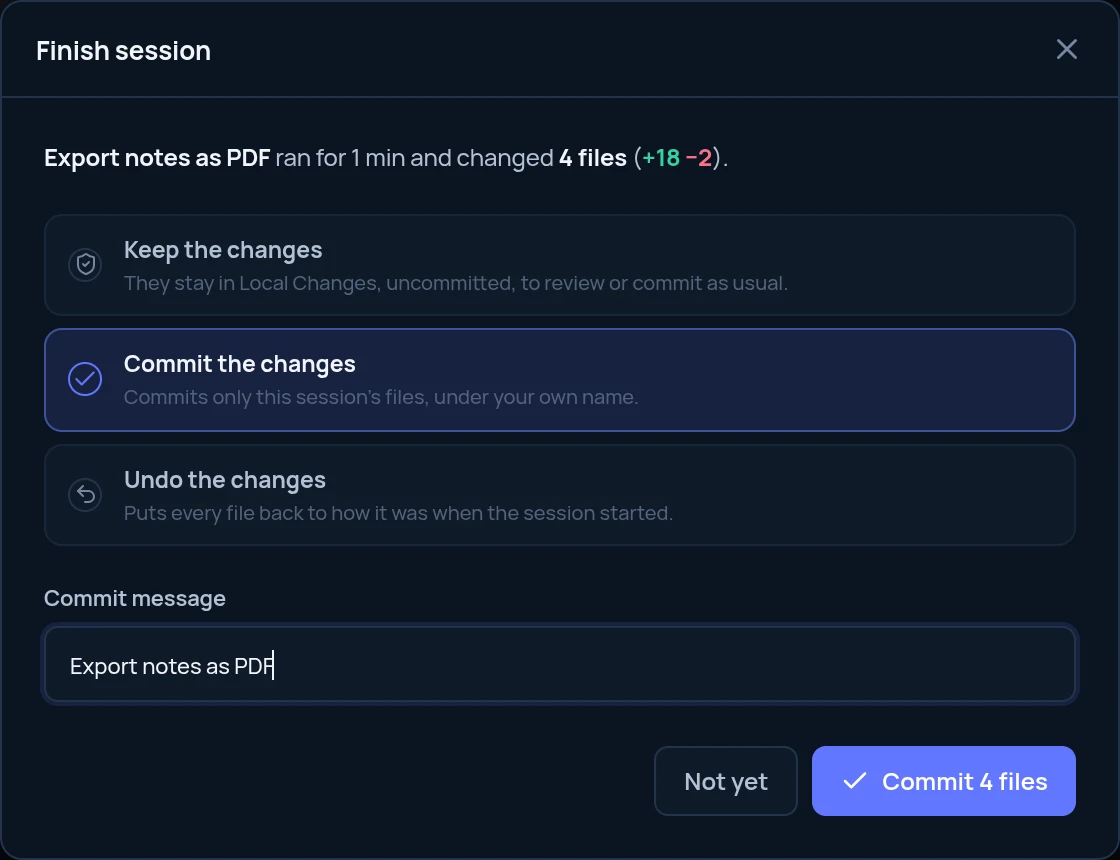
A Coding Session records every file an agent changes, so you review it before it stays.
Coding Sessions History is easy to break.Going back, combining commits and repairing a sync each show the expected result first.
Before/After previews Conflicts stop work.Both versions side by side, with where each came from, and a result you can check.
Guided conflictsCoding Sessions New in 1.8
Start a session before you or an AI agent changes anything. RepoBeam saves a private restore point and lists every change as it happens. No branch to switch to, and no commits of its own.
Works alongsideClaude CodeCodexCursorGitHub CopilotGemini CLIyour own editor
RepoBeam watches the files in your repository, so there is no plugin to install. A session is a restore point and a review, not a security sandbox: agents still run with your normal permissions.
Read the Coding Sessions guide →Before/After previews
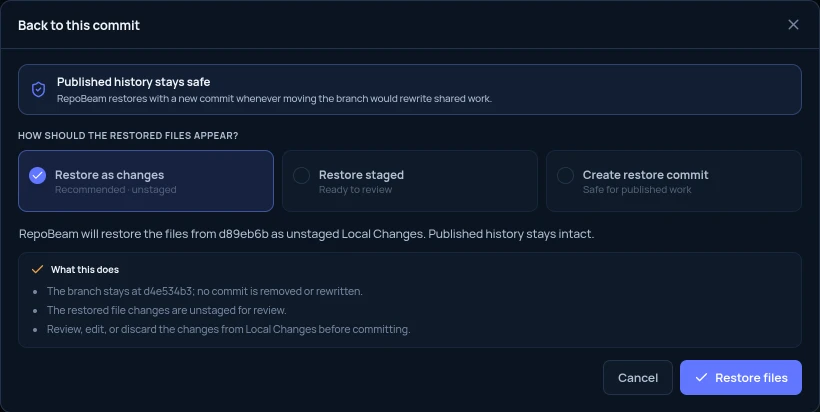
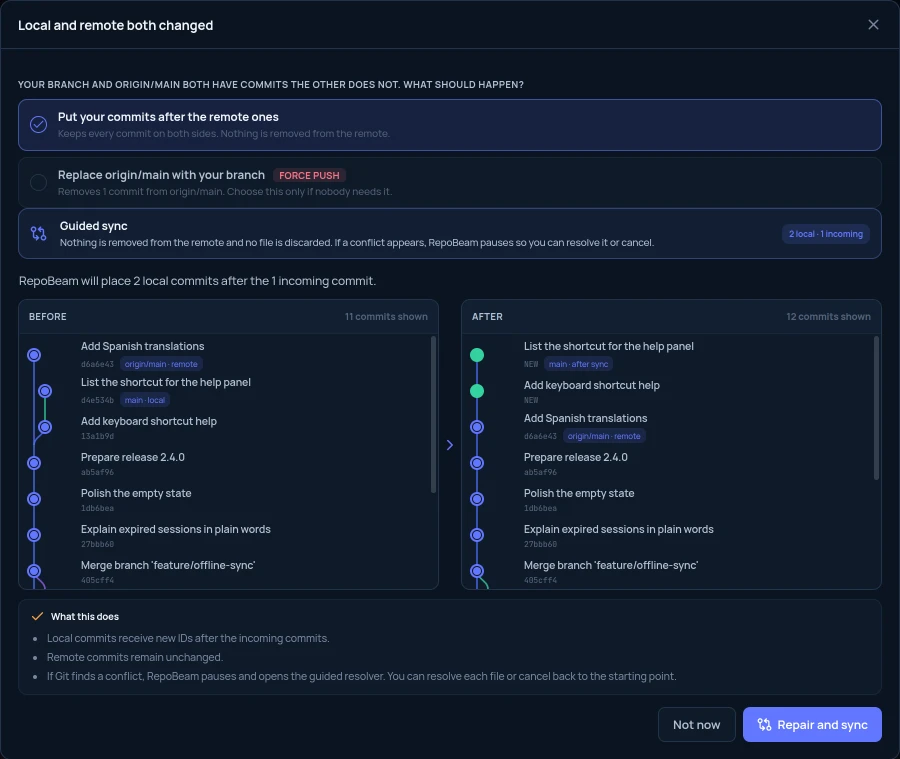
Going back to a commit, combining commits and repairing a diverged branch all open a preview first: your commit graph as it is and as it is expected to be, and a plain list of what changes. Nothing runs until you confirm.
git reset --hard 7b5d87e
git push --forcegit rebase -i HEAD~2git pull --rebase
git push --force-with-lease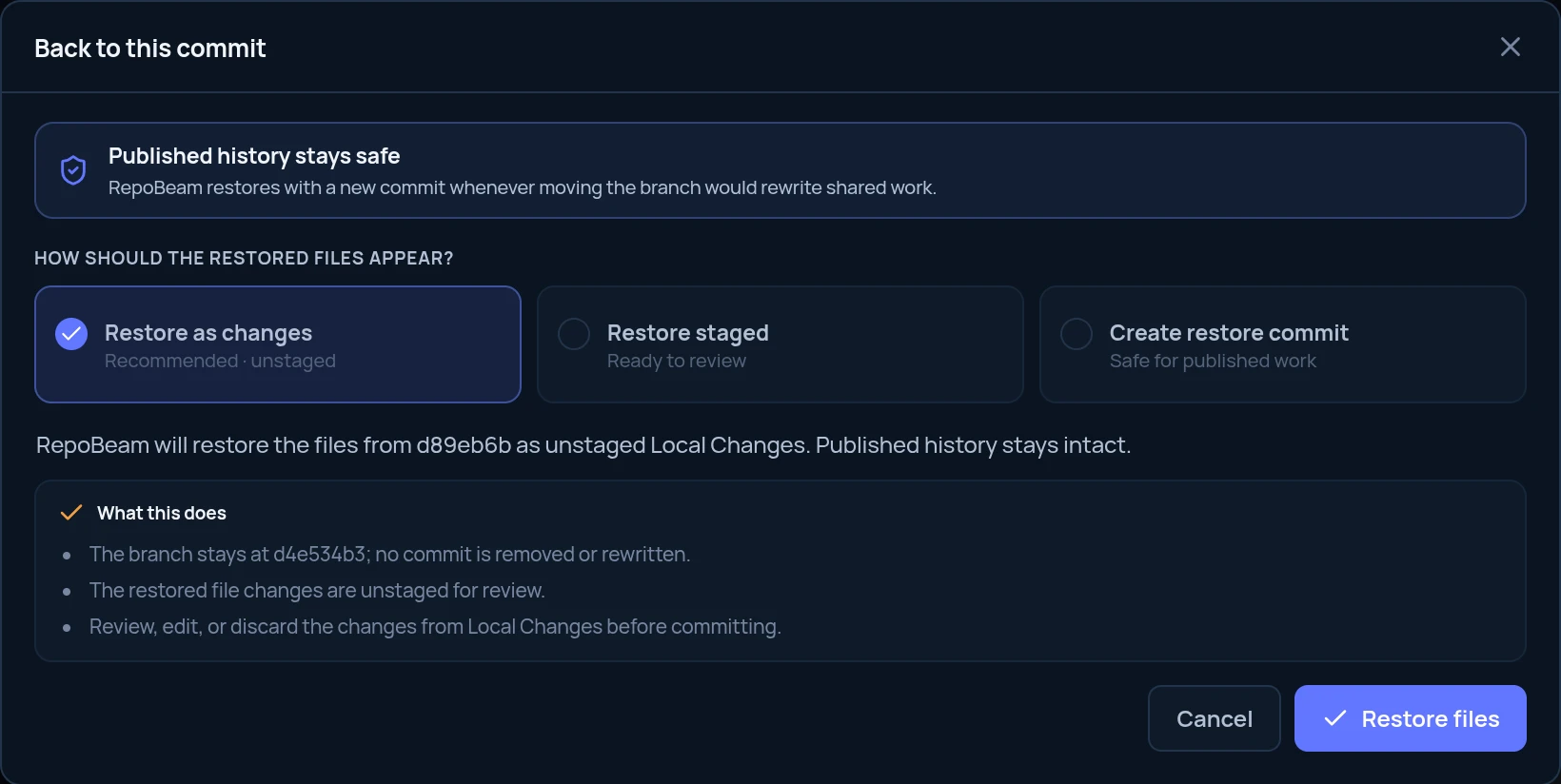
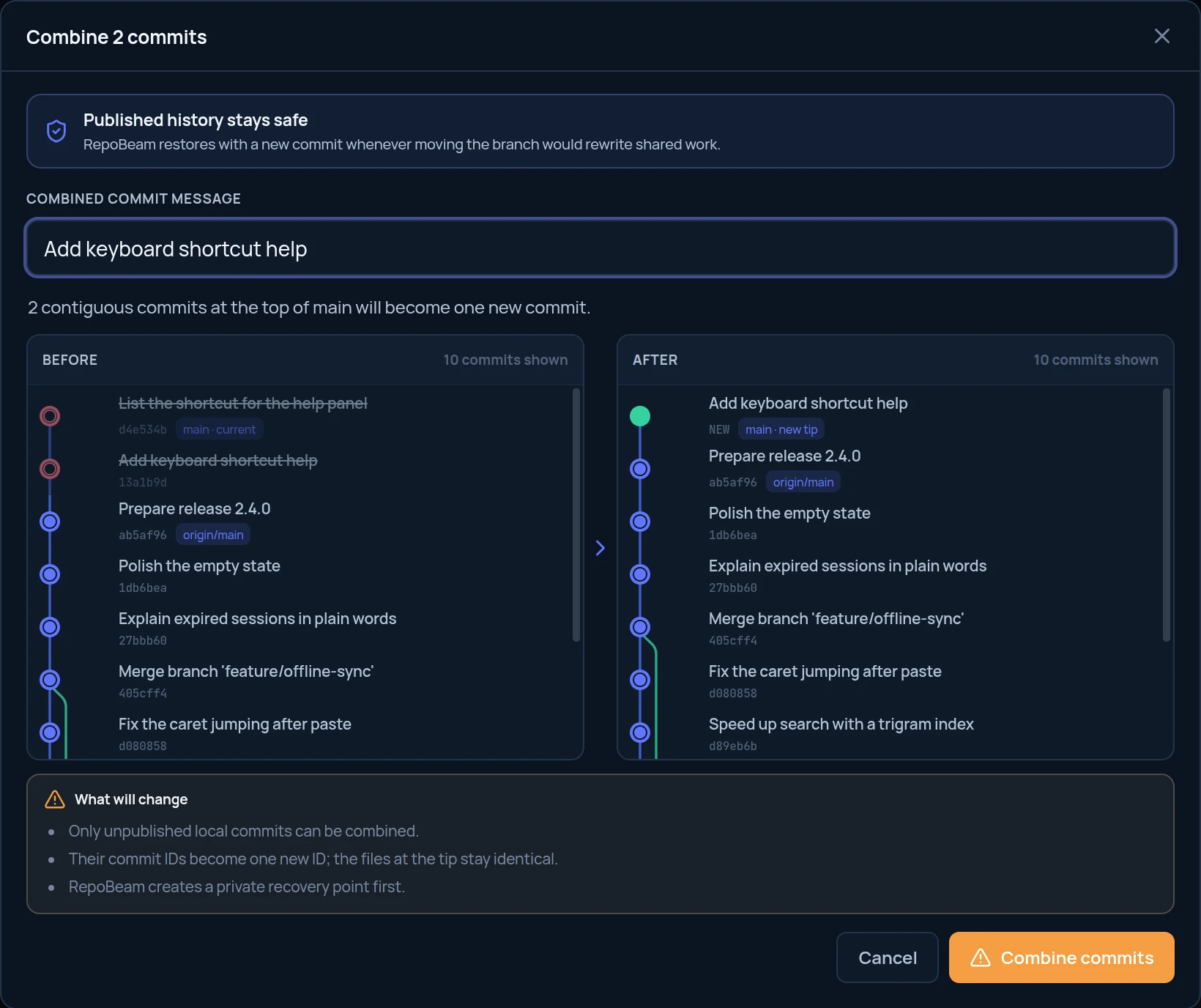
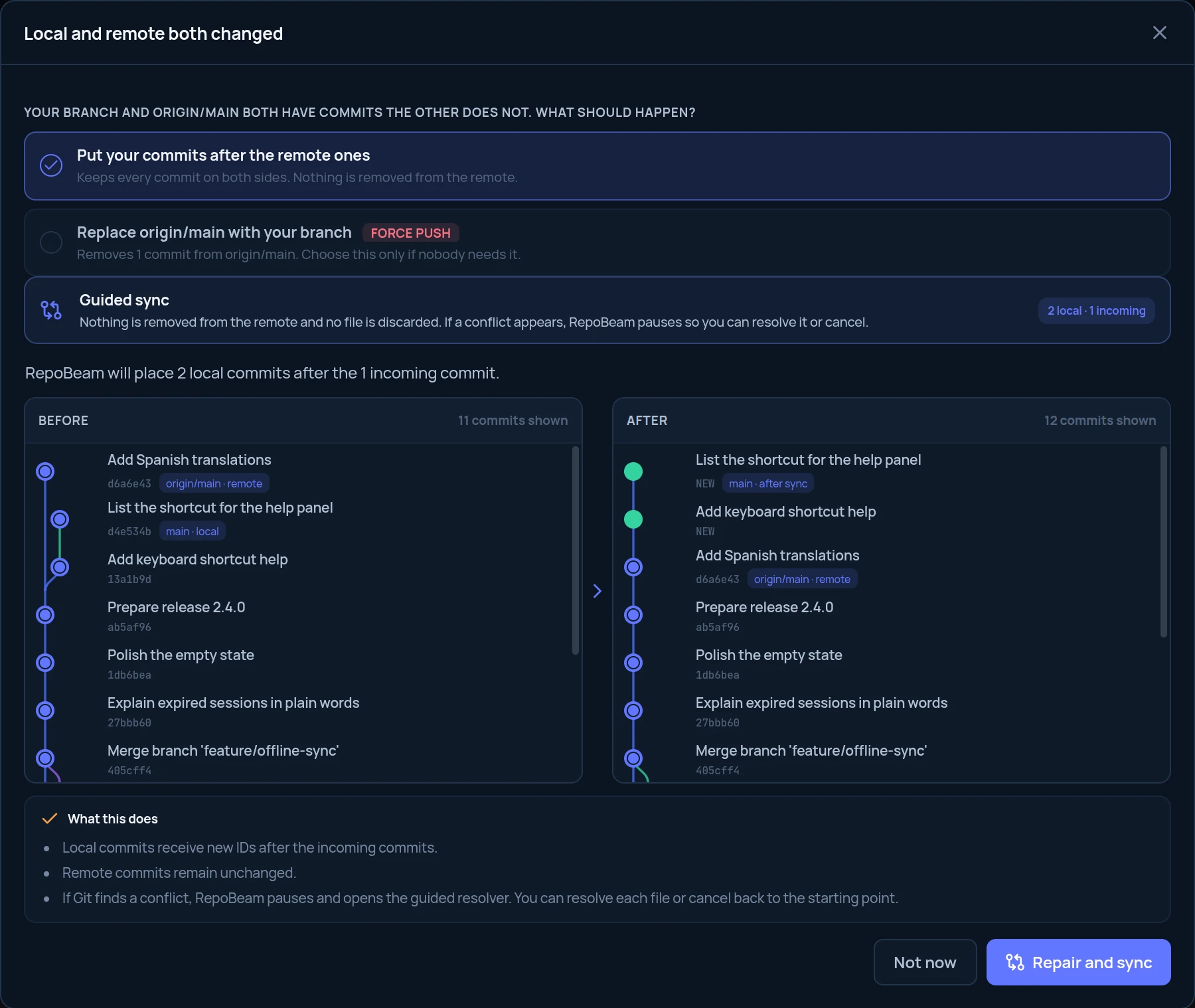
Guided conflict resolution
When a merge, rebase, cherry-pick, undo or stash restore stops on a conflict, RepoBeam opens the resolver on its own. Both versions sit side by side with where each came from. Keep one, keep both, or write the result, then continue or cancel.
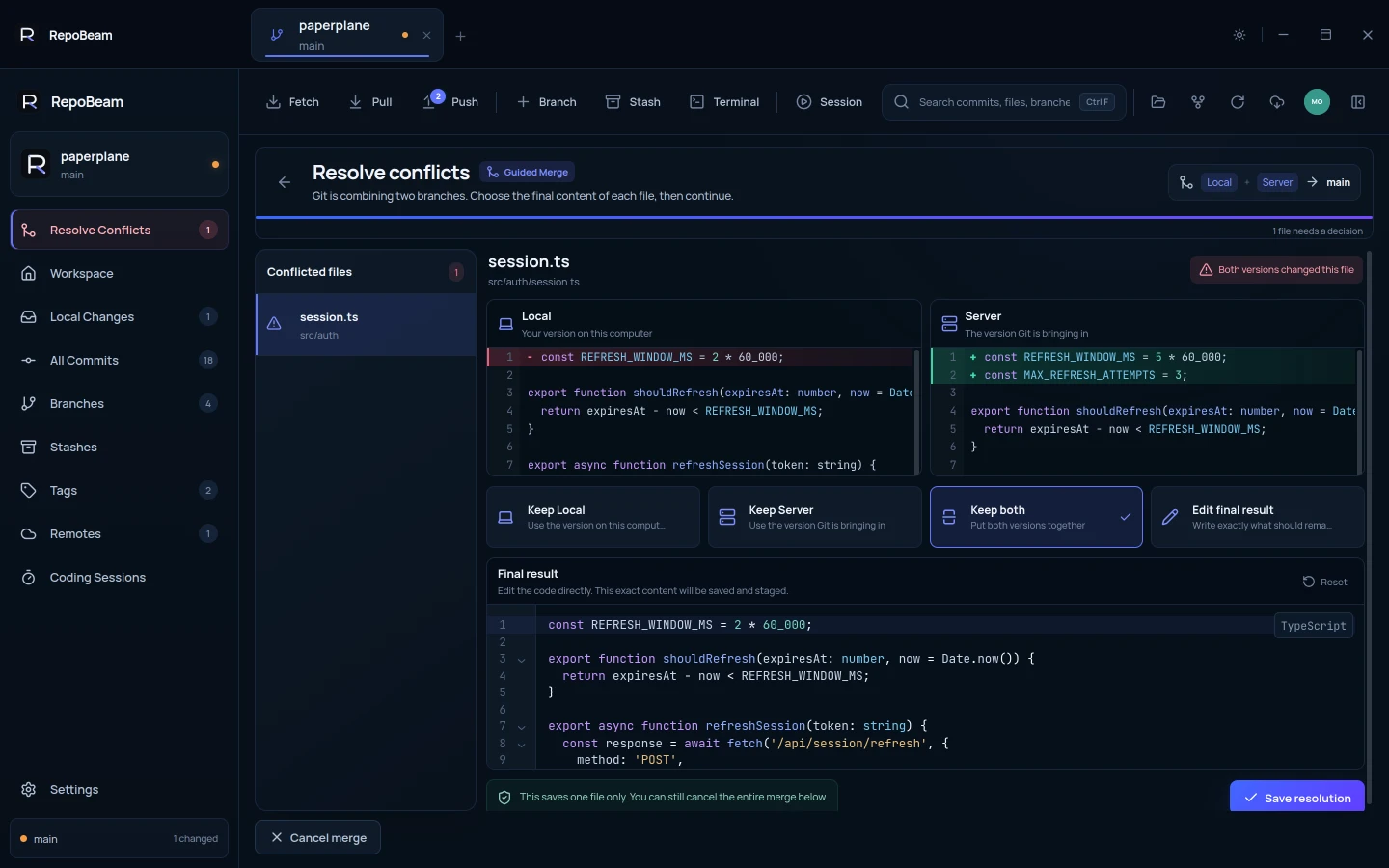
Local is your version on this computer. Server is the version Git is bringing in.
Keep either version, or both, in one click.
A code editor with syntax highlighting. What you see is exactly what is saved and staged.
A file can’t be saved while conflict markers remain in it.
Finish the operation, or cancel it and the branch returns to where it started.
Everyday Git
Stage whole files or single hunks, write the message, then commit and push in one step.
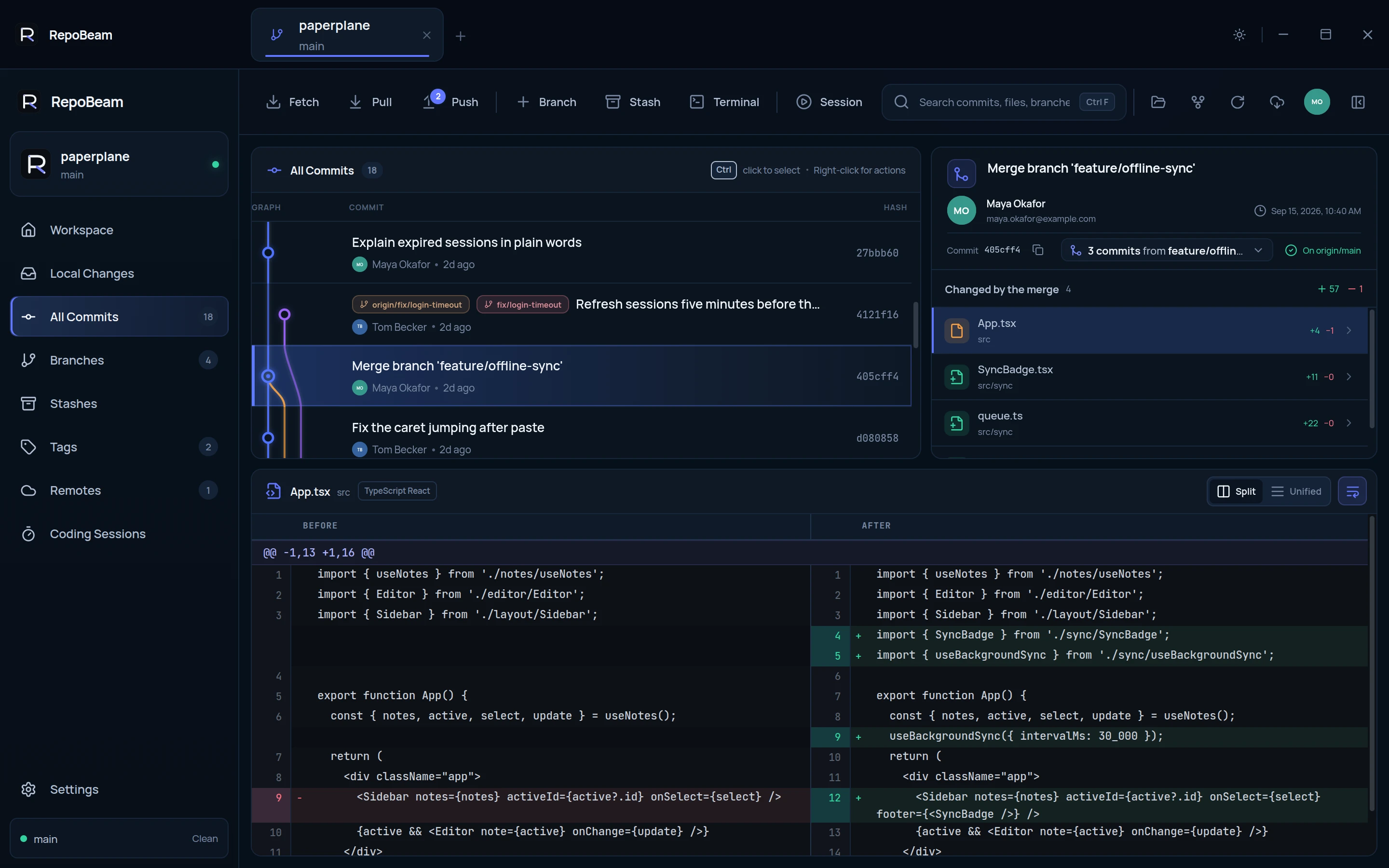
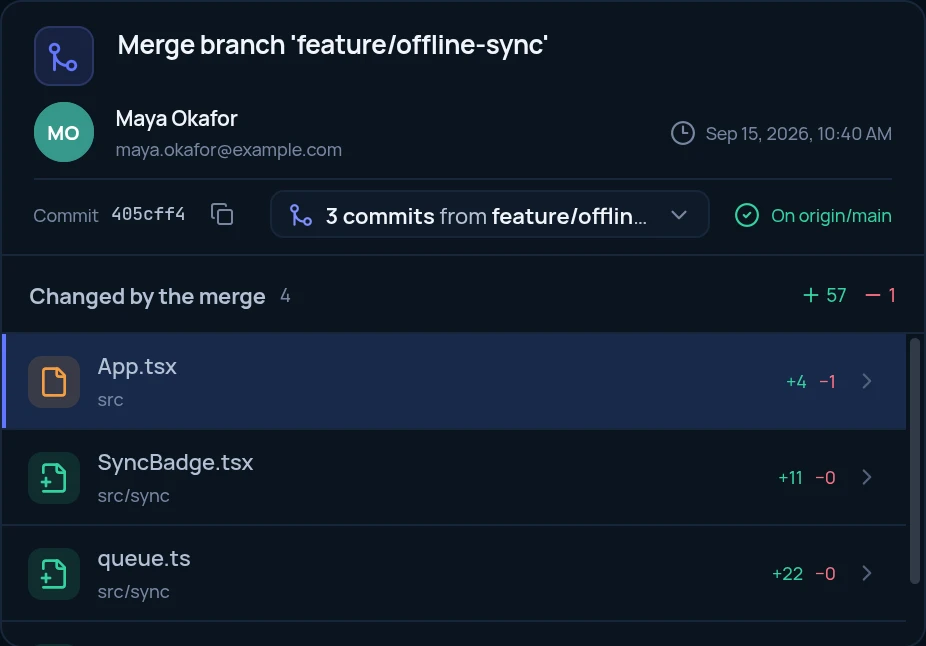
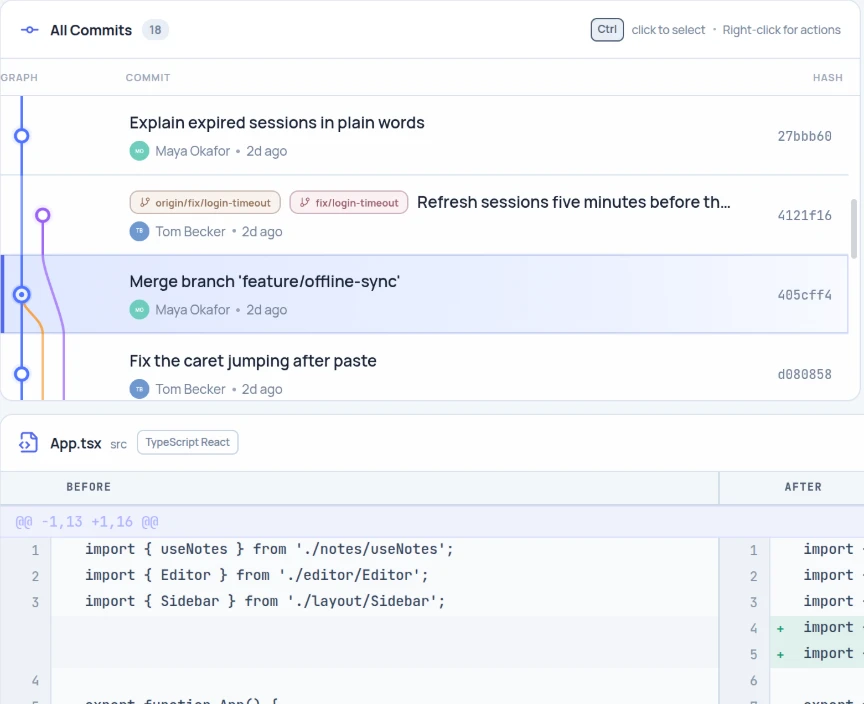
A commit graph with branches and tags. Merge commits list the commits they brought in.
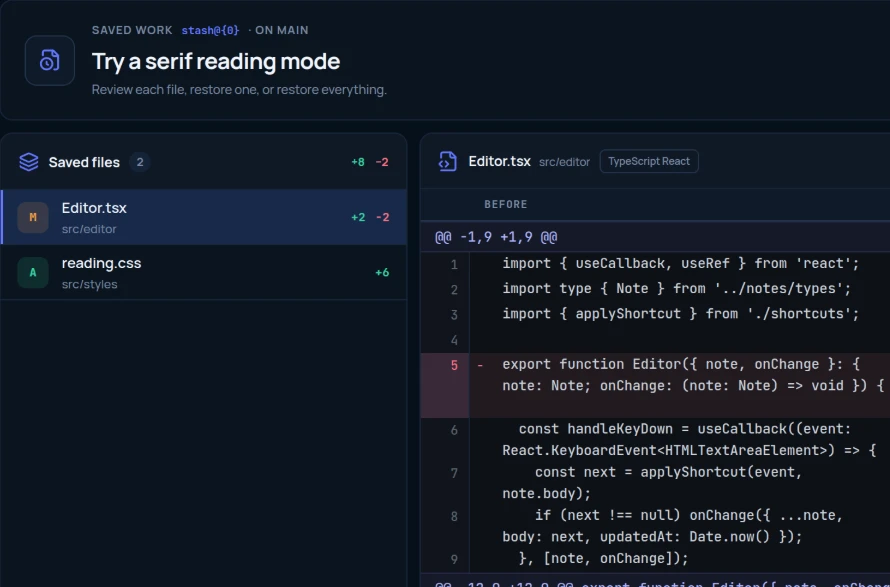
See every stashed file’s diff, then restore one file, or all of them.
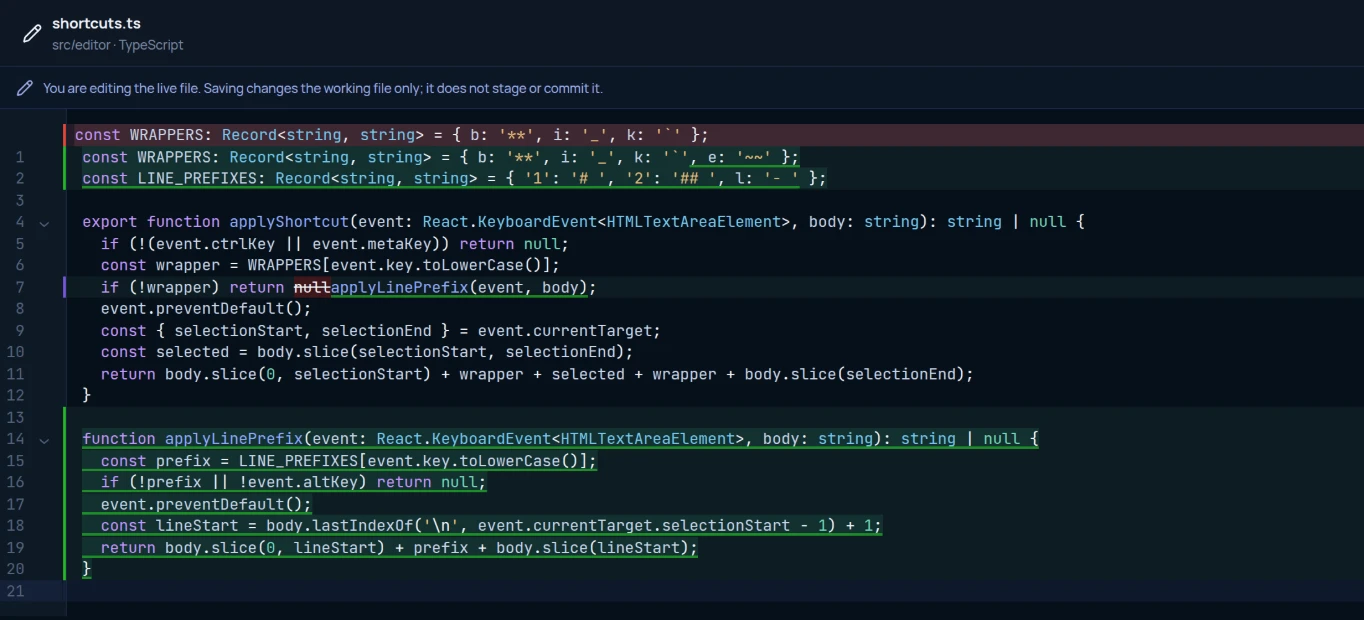
Fix a line straight from a diff, a stash or a session, and go full screen when you need the room.
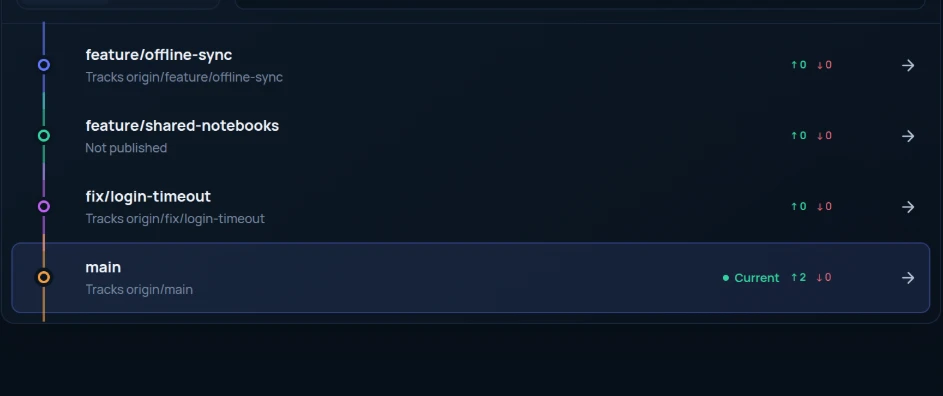
Ahead and behind for each branch. Switch, rename, publish, or delete one on the remote.
Both themes are designed with the same care, or follow your system.
Built to be trusted
Open a folder and start. There is nothing to sign up for.
On by default and easy to turn off. Never source code, repository names, file names, remotes or credentials.
The Windows, .deb and AppImage builds use the Git, SSH keys and credential helpers you already have.
On as many computers as you like. License
Guides

Free for Windows and Linux. Open a repository you already have: there is nothing to import and no account to create.

Then install it from a terminal, in the folder it was saved to:
apt installs Git as well if it is missing. Then open RepoBeam from your applications.The .deb and the AppImage use the Git, SSH agent and credential helpers already on your computer. The snap brings its own Git and asks before it reads your SSH keys.
Needs Git: Git for Windows on Windows. The snap includes Git.
FAQ
No. RepoBeam runs Git itself: the copy installed on your computer, or the copy included in the snap. Your repository stays a normal Git repository that you can keep using from the terminal or any other tool.
Yes, alongside any of them. A Coding Session looks at the files in your repository rather than plugging into a particular tool, so it records changes from an agent, an editor or a script the same way. Start a session, let the tool work, then review what changed.
No. A session is a restore point plus a live review of what changed. Agents and editors still run with your normal permissions and can read files, run commands or use the network. The session shows what changed in the repository so you can undo it or keep it.
No. RepoBeam never sends repository names, source code, file names, commit content, remotes or credentials. Anonymous analytics are on by default and can send the app version, operating system, install source and which RepoBeam features are used. You can turn them off anytime in Settings; when off, RepoBeam sends no analytics requests. Git communicates with the remotes you configure, such as GitHub or GitLab. The privacy page lists every analytics field and counter.
Moving a branch back, combining commits and force pushing from Fix sync keep a private recovery point first, and undoing a file in a Coding Session keeps the undone changes so you can bring them back. RepoBeam also avoids rewriting published commits by default.
Yes, when it makes sense: after you amend or combine commits you already pushed. It is a choice inside Fix sync, which names every commit that will be replaced and stops if someone pushed in the meantime.
When you first use an SSH remote, RepoBeam opens its Linux permission page and asks for read-only access to the SSH keys already on your computer. Turn on “Access SSH keys,” return to RepoBeam, and continue. You can revoke the permission at any time, or use an HTTPS remote without granting it.
RepoBeam is free to use, including for work (license). On Windows, you need 64-bit Windows 10 or 11 with Git for Windows. On Linux, install the snap, which includes Git, or use the .deb (Ubuntu and Debian-based distributions) or the AppImage with Git installed. All builds are 64-bit.